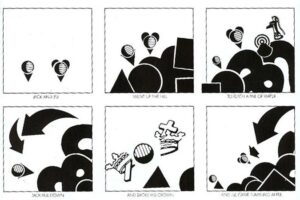
Automatic Drawing


Visual Literacy is a course designed for students interested in art and design, as well as anyone who wants to better understand the visual world around them.
Students explore how images communicate ideas through elements such as composition, color, balance, contrast, typography, and layout. Through hands-on projects and thoughtful analysis, they learn how to create strong visual messages and develop a more critical eye for the media and imagery they encounter every day.
| weeeks 1-8 | weeks 9-11 | weeks 12-20 |
|---|---|---|
|
unit 1: digital images Learning Targets:
|
unit 2: visual communication Learning Targets:
|
unit 3: layout Learning Targets:
|
| weeeks 1-10 | weeks 11-20 |
|---|---|
|
unit 1: elements & principles of design Learning Targets:
|
unit 2: problem solving Learning Targets:
|
There’s a reason it’s said that a picture is worth a thousand words.
Science suggests that the human brain responds to and processes images faster than any other type of data.
HubSpot has collected some statistics that show how visual content is a powerful communication tool:
Visual Literacy is the ability to communicate your ideas through visual elements.
We all have different personalities, experiences, ideas, and understanding of life. A designer’s task is to convey his/her ideas by working with and manipulating the Elements of Art. These are our "visual tools".
If you understand how to use these tools to control how people see and interpret your design – then you are on a right path to be a great designer.
Before you start using design to express your ideas and communicate thoughts, let’s work on exercising your mind to be more flexible and creative. These are important "work-outs" for your brain that will help you to "loosen up", to think outside the box, and to choose unusual solutions to given problems.