Digital Color Presentation


Color plays one of the biggest roles in graphic design.
It can give emphasis, it can be used as a mechanism of organization, it can create impact and create a specific look and feel in a piece of graphic design work.
Color Theory provides us with practical guidance to help us mix colors and create color schemes.
Color works differently for screens and for print projects.
The color mode or image mode determines how colors combine based on the number of channels in a color model.
Different color modes result in different levels of color detail and file size.
The color mode determines how colors combine based on the number of channels in a color model.

millions of colors (web)
millions of colors (print)
256 colors (web)

256 grays (web)
2 colors
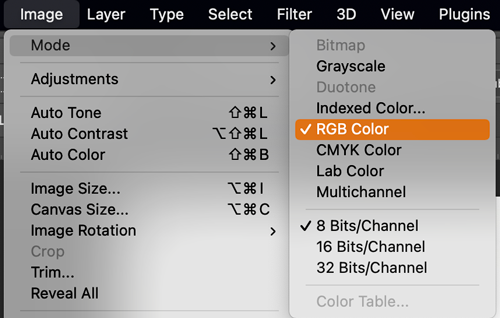
To check or change image color mode in Photoshop go to the Menu bar:
Image > Mode > choose the mode.

In the digital world, colors are created by combining different amounts of red, green, and blue light on a screen.
When printing, those colors are converted into tiny drops of ink to reproduce the image on paper.

Use color mode that is appropriate for the specific task.
Is your image going to be displayed on screen (web site, social media, etc.)or printed?

On screens, colors are made with RGB (red, green, blue) light, which mixes together to create the bright colors you see in digital images.
Printers, however, use CMYK (cyan, magenta, yellow, and black) inks, which blend by layering tiny dots of pigment on paper.
RGB is great for glowing, vivid displays, while CMYK is designed for the physical world of ink and paper—so the same color might look a little different on screen compared to when it’s printed.

CMYK mode is the color system used for printing. It stands for cyan, magenta, yellow, and black, the four inks that printers mix in layers of tiny dots to create a full range of colors.
Unlike RGB light, which adds brightness, CMYK works by subtracting light, so the more ink you add, the darker the color becomes.

RGB colors are created by combining different amounts of red, green, and blue light.
Each color is defined by a mix of these three values, ranging from 0 (no light) to 255 (full intensity).
When combined, they produce millions of possible shades—from pure red (255,0,0) to bright white (255,255,255) or deep black (0,0,0).
On screens, tiny pixels made of red, green, and blue sub-pixels glow at varying intensities, and the human eye blends them together to perceive a full spectrum of colors.

Lab Color space is the most accurate color mode.
It uses three values (L, a, and b) to specify colors by telling a divice how much of each color is needed.
Lab color works more like human eye.
It specifies a color using a 3-axis system. The a-axis (green to red), b-axis )blue to yellow), and Lightness axis.
Lab colors are used:

This mode produces 8‑bit image files with up to 256 colors.
Like RGB, this color mode is exclusively for digital formats, on-screen.
When you convert an image to index color, a color table gets built to store and index the image’s colors.
While its color palette is limited, index color can reduce file size yet maintain the desired visual quality for digital presentations, websites and mobile applications.
So, this mode is ideal for image optimization.

This mode comprises various shades of grey within an image. It discards all color information.
You can use it in print and digital formats:
In digital, each image pixel has a value ranging from 0 (black) to 255 (white).
Digital formats use it to express a certain tone in your designs
In print, the values range from 0% (white) to 100% (black), representing the amount of black ink used.
Print formats use it to lower costs and minimize ink usage

This mode comprises black and white pixels, with no colors or shades of grey.
In digital formats, black and white values represent an image’s pixels
In print formats, black ink dots and the white of the paper represent the overall image.
Print and digital formats, to create a line drawing or hand-drawn sketch, or make vintage effects.
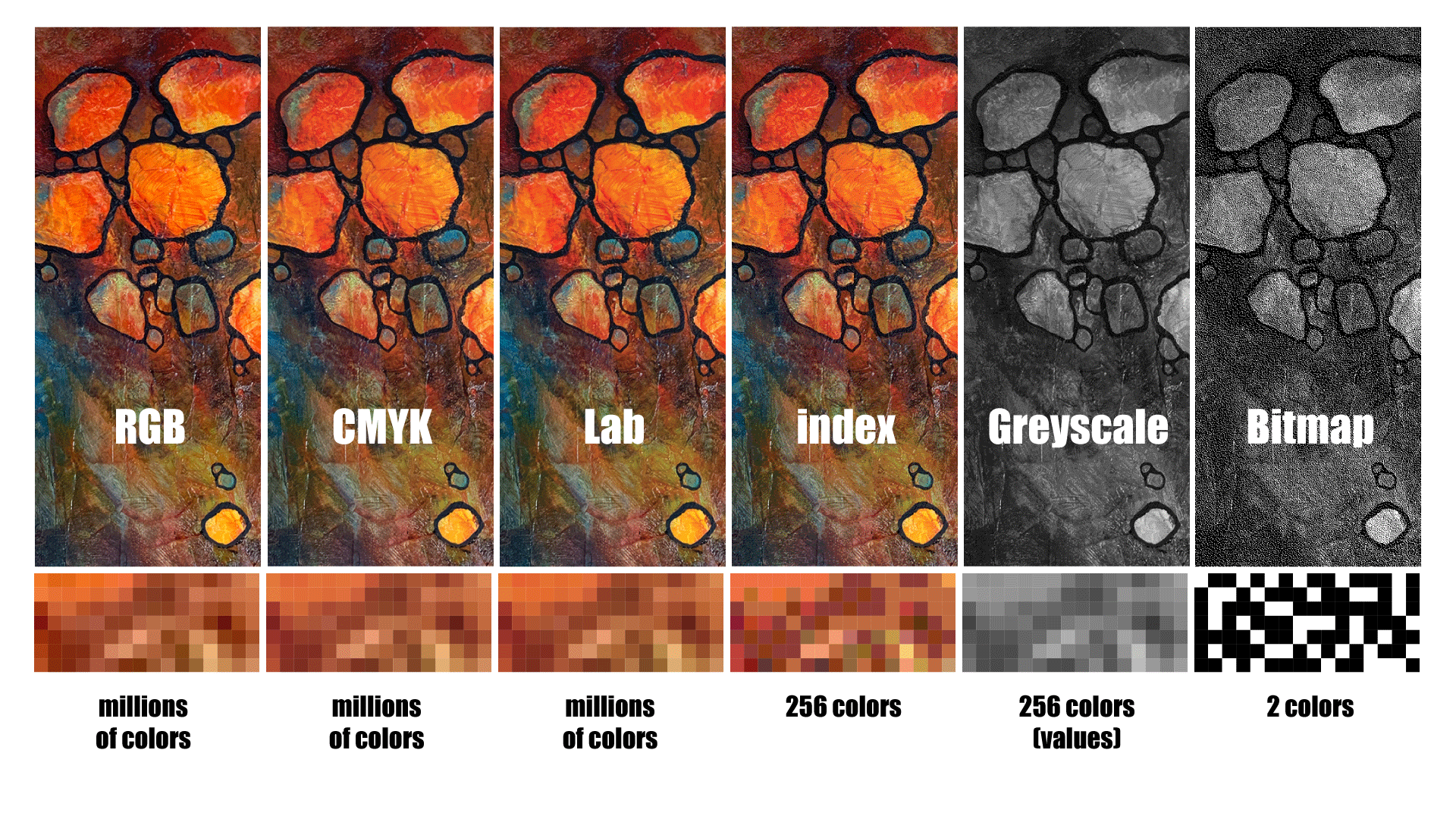
Here is the same image using different color modes.
In graphics, color systems (also called color models or modes) are methods for representing and organizing colors so they can be created, displayed, or printed consistently.
Each system gives designers and computers a structured way to define and work with color.
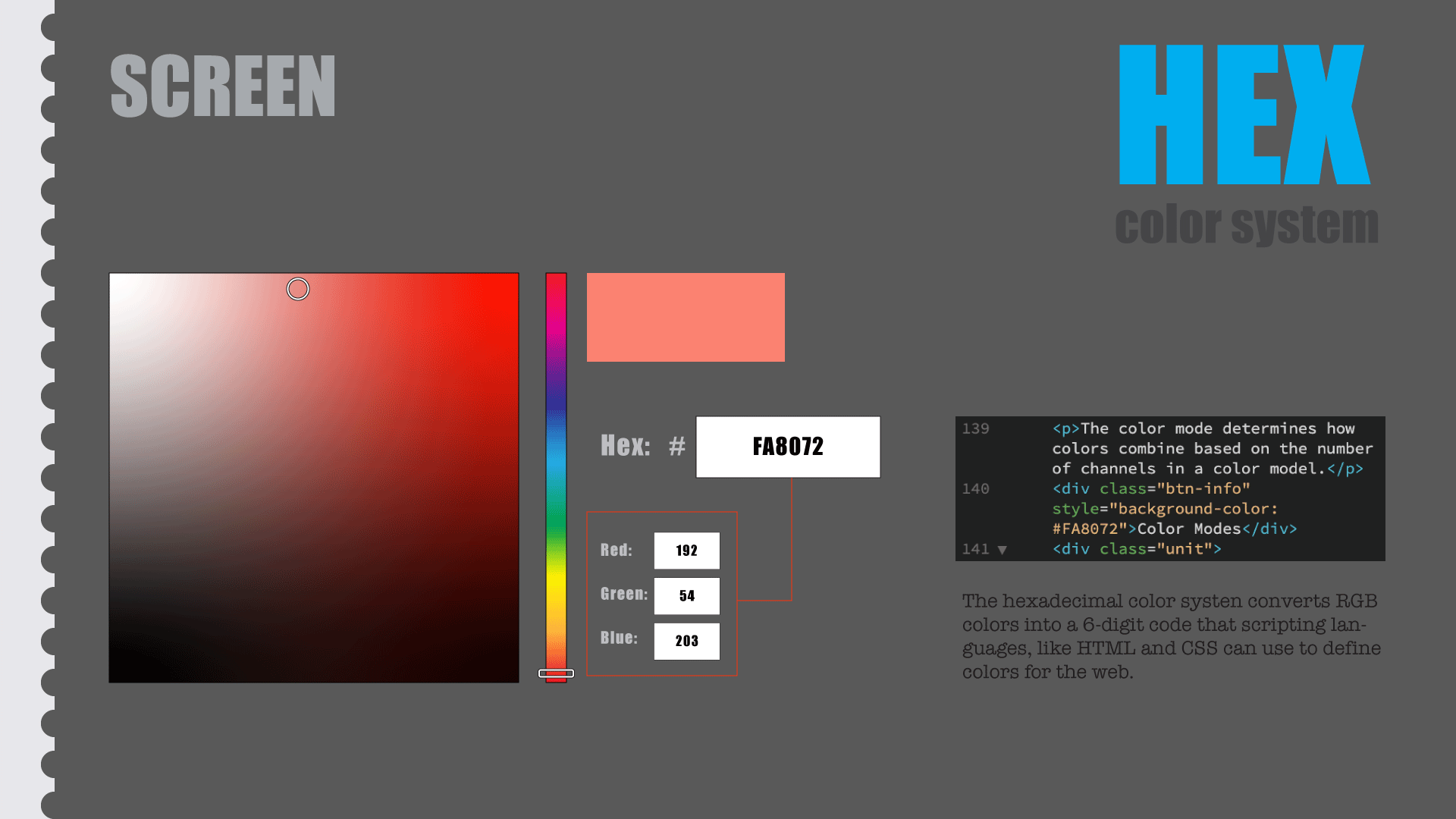
The hexadecimal color system converts RGB colors into a 6-digit code that scripting languages, like HTML and CSS can use to define colors for the web.
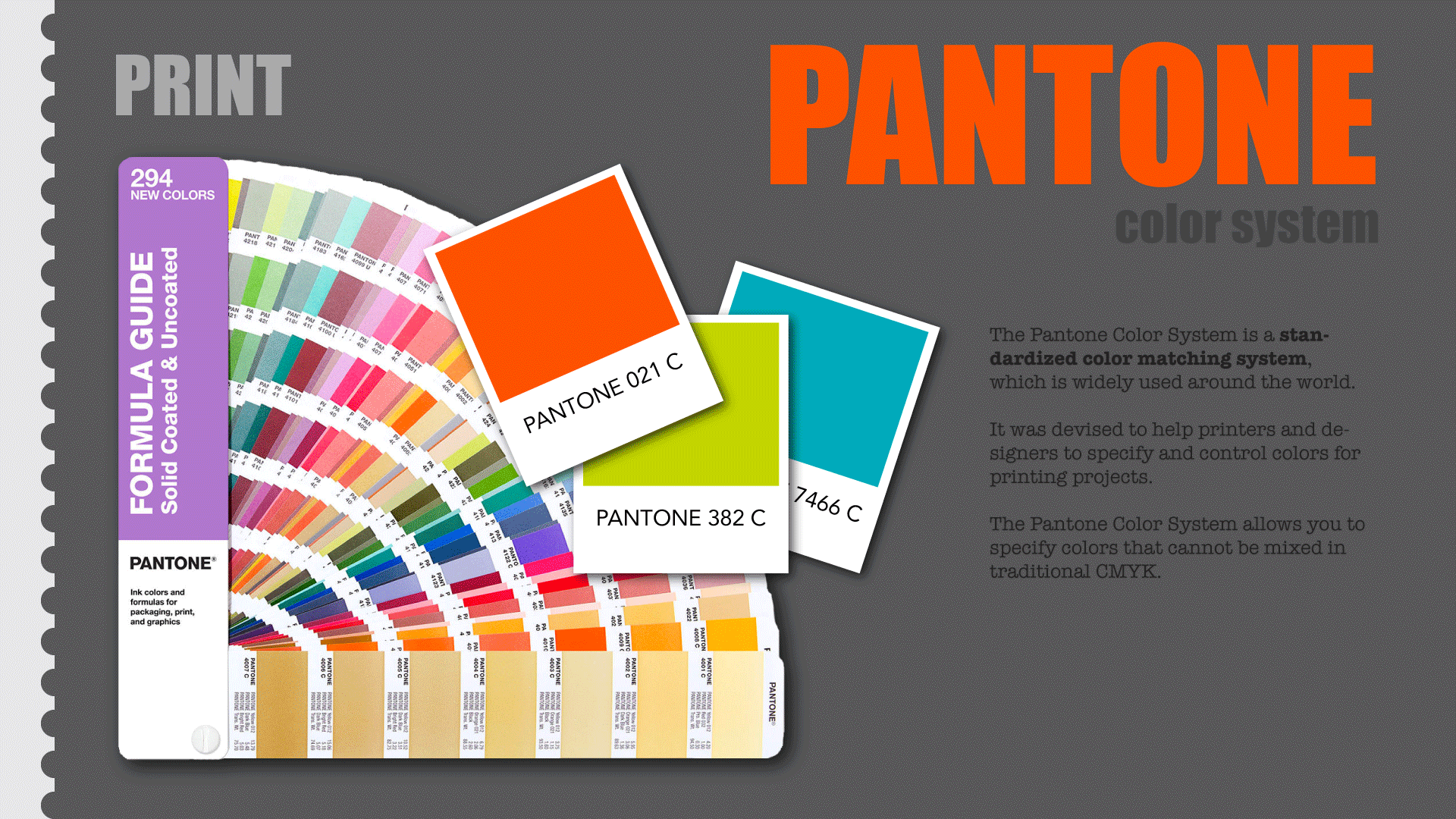
The Pantone Color System is a standardized color matching system, which is widely used around the world.
It was devised to help printers and designers to specify and control colors for printing projects.
The Pantone Color System allows you to specify colors that cannot be mixed in traditional CMYK.
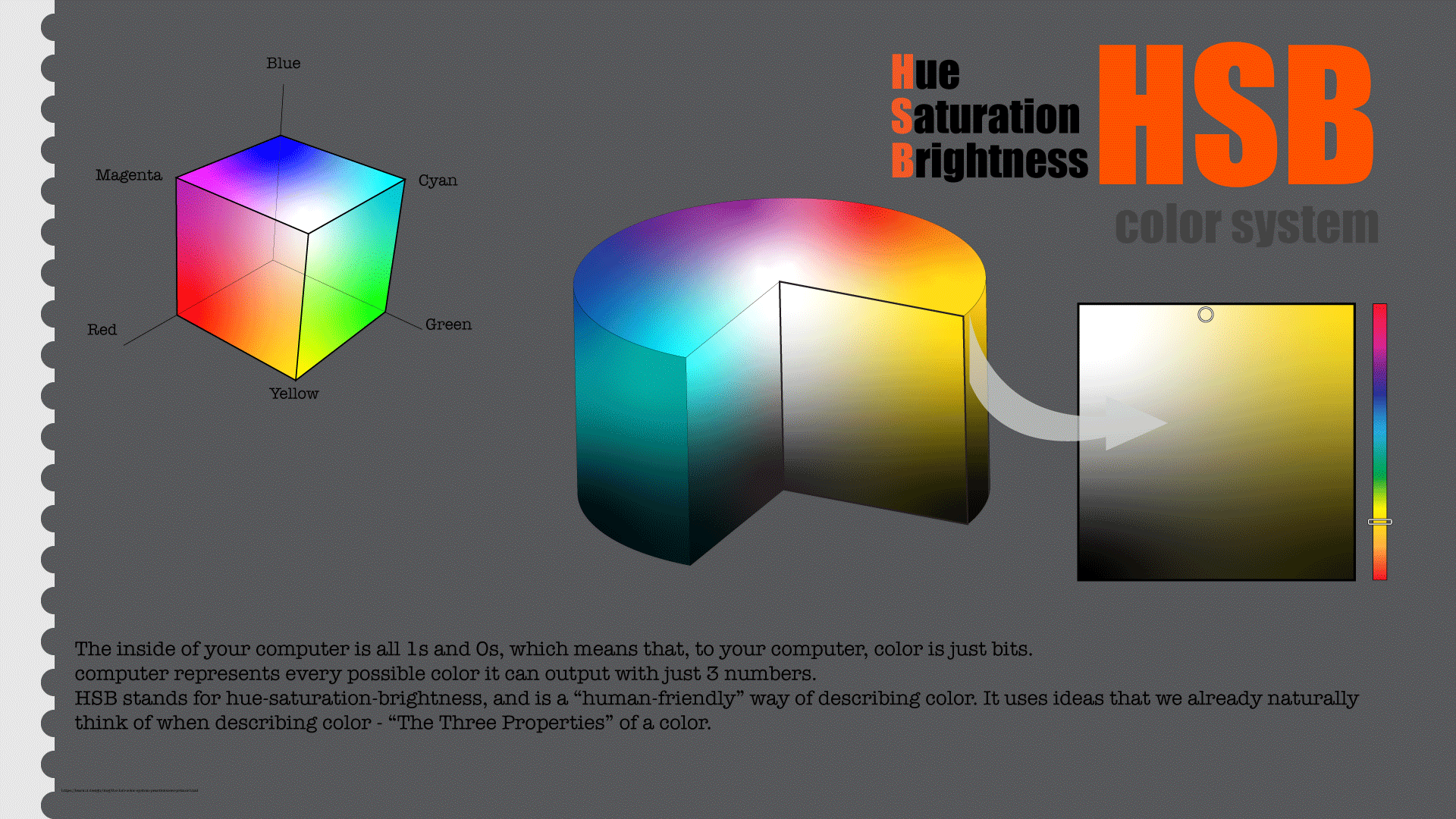
The inside of your computer is all 1s and 0s, which means that, to your computer, color is just bits.
Computer represents every possible color it can output with just 3 numbers.
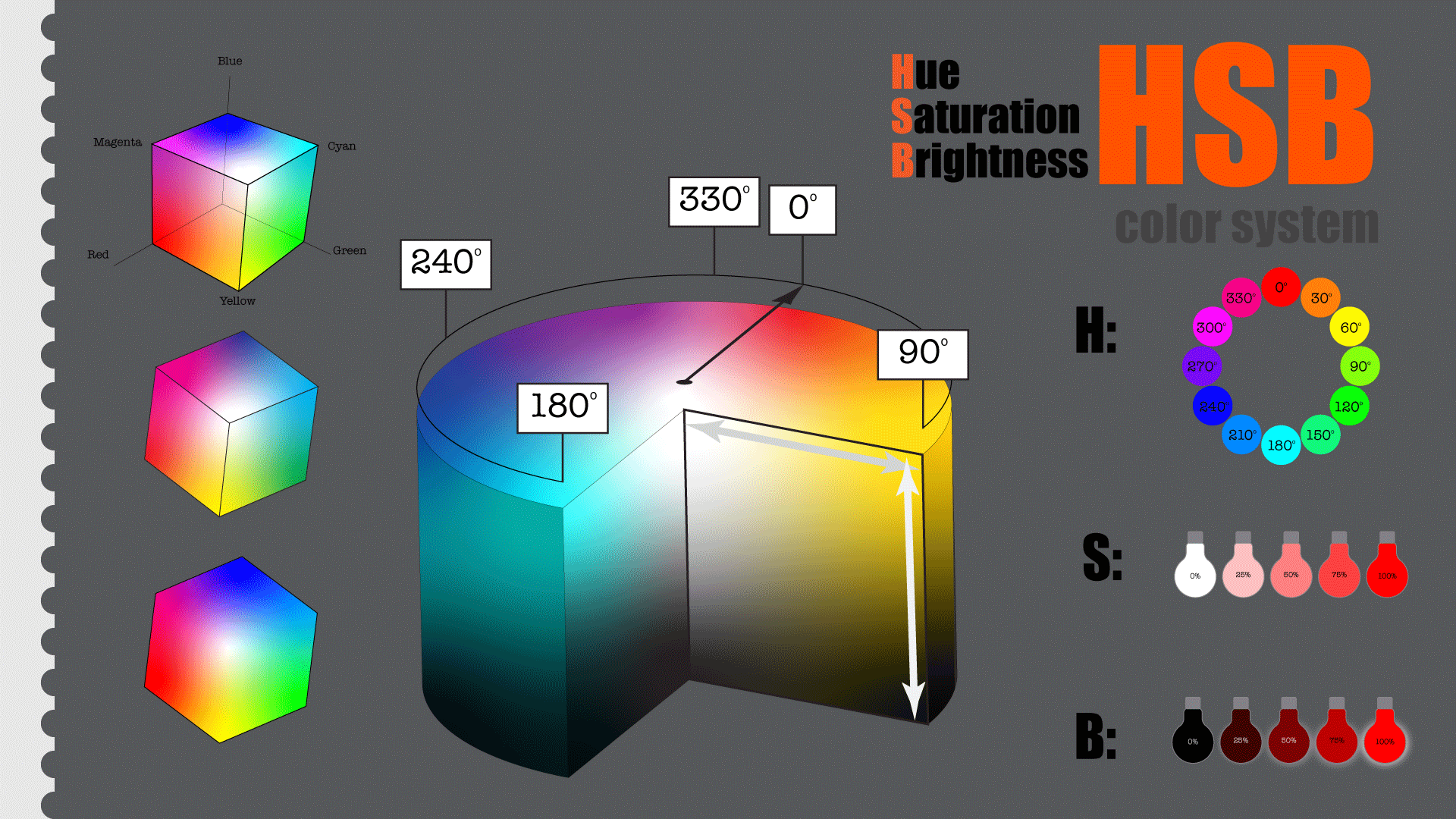
HSB stands for hue-saturation-brightness, and is a “human-friendly” way of describing color. It uses ideas that we already naturally think of when describing color – “The Three Properties” of a color.