


Cover Redesign

© JuliannaKunstler.com
WI State Standards:
- AA Cr10h
Investigate: Engage in critical thinking, problem solving, and research through elements and principles of art and design studio practices and processes.
(aesthetics / problem solving) - AA Cr12h
Make: Create works of art that introduce students to media, care of tools, and basic craftsmanship skills.
(skills) - AA Pr10h
Develop meaning: Create s body of work incorporating personal, historical, and contemporary art to communicate one or more points of view.
(aesthetics / communication)
Learning objectives
- graphic problem solving
- creative project: planning and executing
- manipulating images
- editing tools
- communicating ideas and concepts

Redesign this 1961 magazine cover to fit modern trends
Consider appropriate color scheme for the targeted audience. Use colors that appeal to YOU!
Create a cover photo in Photoshop (8.5"x11") to fit the theme
You may also have smaller photos to show other features included in the magazine
You can use additional graphics if needed (social media, etc)
examples:
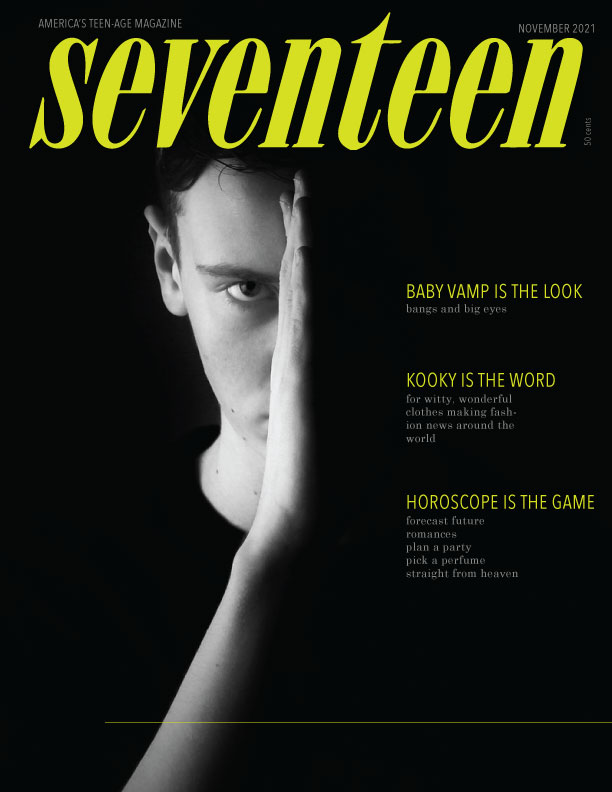

STEPS
Use attached Adobe Illustrator file to put it together.
In Illustrator:
use separate layers for background / cover photo, text blocks, other graphics
Pay attention to:
vertical/horizontal alignment of text blocks and other elements
You should include:
- A cover photo
- A Title (should use the existing title, but you can change a color)
- Story line titles – use the same ones as the original, but you can change fonts, colors, size, position, add images, etc.
- Issue date
- Issue price