


Black Squares Problem

Credit: R. & J. Wilde | Visual Literacy | ISBN 0-8230-5620-1
WI State Standards:
- AA Cr10h
Investigate: Engage in critical thinking, problem solving, and research through elements and principles of art and design studio practices and processes.
(aesthetics / problem solving) - AA Cr12h
Make: Create works of art that introduce students to media, care of tools, and basic craftsmanship skills.
(skills) - AA Pr10h
Develop meaning: Create s body of work incorporating personal, historical, and contemporary art to communicate one or more points of view.
(aesthetics / communication)
Learning objectives
- graphic problem solving
- creative project: planning and executing
- communicating ideas and concepts
- abstract thinking & problem solving
- using Illustrator
Here is a design problem for you that will help you to understand the language of graphic design.
It will allow you to express yourself using design principles to create visual communication.
By using 4 black squares, create a graphic image that best expresses the meaning of each of the following words:
elegant, playful, violence, love
Using only 4 squares is a seemingly limited palette to express such diverse words yet the squares can be expanded into a more comprehensive language by utilizing design principles.
Things you cannot change:
- number of squares (4)
- color of the squares (black)
- color of the background (white)
Things you can modify:
- size
- rotation
- spacing
- crop
- overlap
examples:
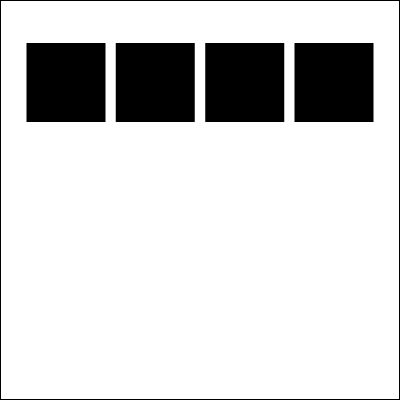
order

order

order

order

increase

increase

bold

bold

congested

tension

tension

tension
STEPS
1. This assignment should be done in Adobe Illustrator. Experiment with the designs to find the best visual solution for each word.
Create a black border for each square.
4. Write a brief paragraph for each image – stating the word, that’s been illustrated and why did you choose this particular design to illustrate it.
Save as PDF or PNG to submit
Designing tips:
It is your task to design the most creative and visually interesting composition possible.
That means you need to arrange the squares in a way, that is pleasing to an eye. For example:
- Use alignment of shapes (unless there is a specific need not to),
- Balance the composition – symmetrical or asymmetrical balance – (unless there is a specific need not to),
- Space elements with purpose
- Utilize negative space (Figure / Ground principle) – for more interest
- If there is a focal point – use Continuity principle to point/lead to it
In order to do this you must experiment with numerous compositional factors that automatically arise when shapes are arranged within a picture plane.
Design Considerations:
- Avoid predictable and cliché arrangements where something is placed in the middle and then in each of the four corners.
- We are dealing with balance, so visual weight is a consideration. Value, size and arrangement will all be factors in your composition. Remember you can rotate your shapes to change the weight.
- Consider making curved or diagonal paths that the shapes can follow to create movement.
- To avoid monotony by adding variety, change or vary the space between shapes. This will change the rhythm within the composition.
- Be aware of the shapes orientation to the picture plane. It can be parallel with the edge, tilt or even go off the edge. This can create variety in the piece.
- Touching the edges of two shapes to each other at odd angles can create tension.
- Overlapping shapes can create the illusion of depth.