Image Trace


Recreate the poster in Adobe Illustrator.
Background:
1. shape of specific dimensions (background)
2. convert bitmap to vector (raindrop)
3. alignment and distribution
4. layers
Umbrella:
5. image recreation: path drawing, pathfinder, properties)
6. custom gradient
Text:
7. type options
8. special effects
9. optimization for web (.png or .jpg)

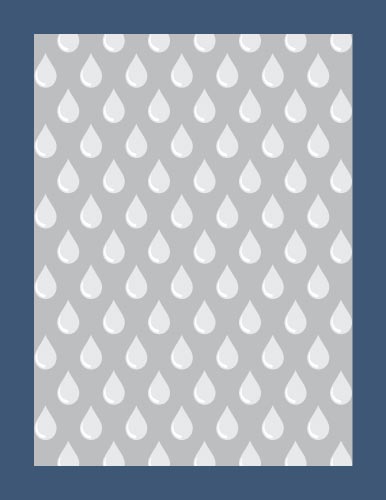
Start with creating a new file: 8.5"x11"; units: inches
In the new file – name your Layer 1 "background".
Save the file right away.
There will be a few steps to recreate this design.
2 rectangles:
blue #3F5775 (8.5"x11")
grey #BCBEC0 (7"x9.5")
Align them and center.
You can lock them to prevent from accidentally moving them (Object > Lock or Ctrl/Command 2)
Copy the bitmap raindrop image and paste it into your file.
Convert it into vector.
Change the colors:
drop grey color #E6E7E8
light reflection: white
Change the height of the drop to 0.75".
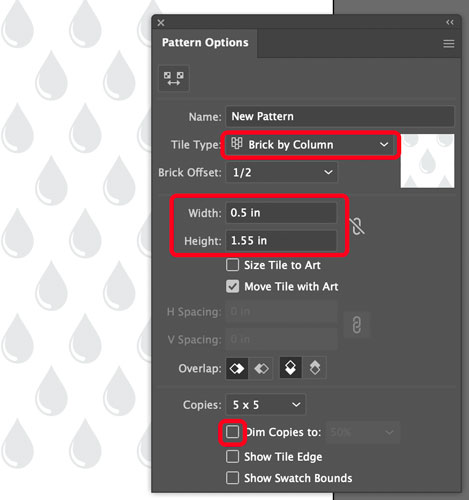
Select the drop.
Go to Menu bar: Object > Pattern > Make
Set the parameters as shown.
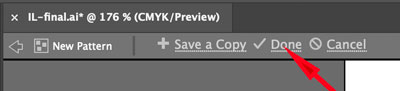
Exit Pattern making mode at the top left part of the workarea.
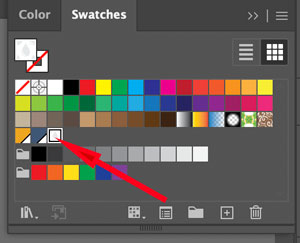
The new pattern is saved now in Swatches panel.
Copy the grey rectangle.
Paste it in Front.
Apply the new pattern of raindrops.

It’s umbrella turn now.
Create a new layer. Name it "umbrella".
Paste the umbrella image and lock it.
You are going to recreate the umbrella. This will take a few steps.

Plan out the best and easiest way to create all necessary shapes.
Use Pen tool.
Start with the shape outline. Don’t forget the corner points!!!

Review Pen tool here

Trace every other shape inside the canopy.
It does not matter how far the shapes extend pass the main shape.
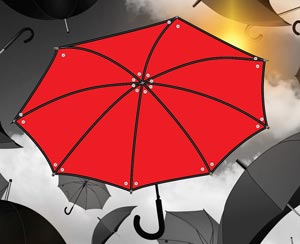
Delete all unnecessary shapes.
Now you are ready for the gradients.
Create a custom gradient and apply it to each shape.
(lesson is here)
You can temporally change the opacity of the shapes to draw the rest of the umbrella.
Once the main part is done – use Pen tool to create the rest of the details.
Most of the remaining parts can be drawn as lines (paths) with different stroke properties.
Add the following text:
"The nicest thing about the rain is that it stops. Eventually"
Break the text into short phrases.
Draw curved paths and use them as baselines for your text.
(lesson is here)
Experiment with typography. Text color is the same as the blue background (#3F5775).
Pay attention to tracking and other type settings.
You can position text differently, but it needs to flow .
Add a Scribble effect to the word "STOP".
(Effect > Stylize > Scribble)
Adjust settings to keep text legible.
Now optimize it and save as .png or .jpg file.
Submit!