


Vector Challenge

WI State Standards:
- AA Cr10h
Investigate: Engage in critical thinking, problem solving, and research through elements and principles of art and design studio practices and processes.
(aesthetics / problem solving) - AA Cr12h
Make: Create works of art that introduce students to media, care of tools, and basic craftsmanship skills.
(skills) - AA Pr10h
Develop meaning: Create s body of work incorporating personal, historical, and contemporary art to communicate one or morepoints of view.
(aesthetics / communication)
Learning objectives
- Drawing shapes
- Modifying paths
- Pathfinder
- Gradients
- Symbols
- Gradient mesh
- Shapes order
example
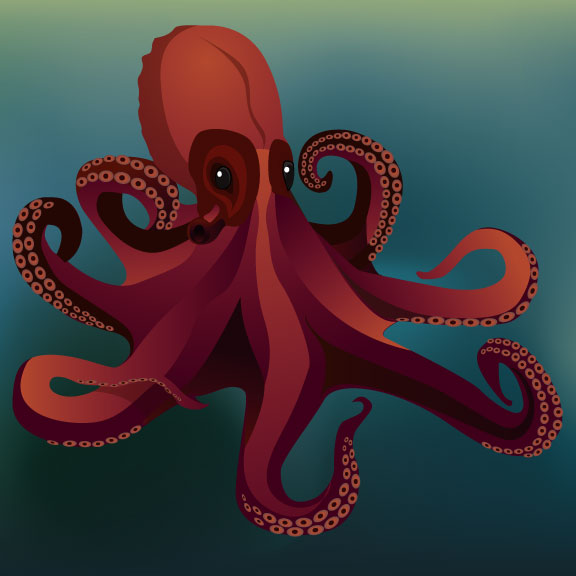
STEP
Recreate the image following the steps below.
Pay attention to how everything is done. Do not skip steps.
Download the template from the link above.
Open the template image in Adobe Illustrator.
Open Layers palette (Window > Layers)
Lock the template layer.

Create a new layer.
This is where you are going to draw your image.

For more complex images you might want to create more layers.

Always look for the largest main shape and start with it.
Use any approach you feel fit to recreate shapes.
That can include drawing with Pen tool or shapes.
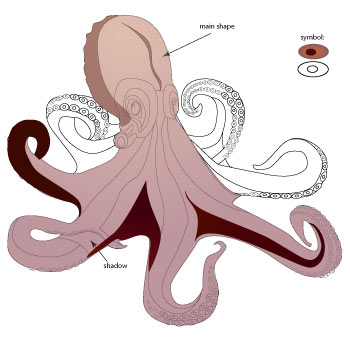
Utilize Pathfinder to match the shapes where needed.
Some of the shapes that represent shadows or highlights can be set to lower Opacity for better blending.
Just saying…
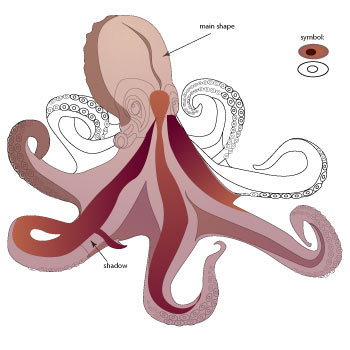
Helpful hints:
You can keep shapes temporary transparent while you working with them to see the template.
You can lock a shape (or multiple shapes): Object > Lock and Object > Unlock All
You can select a specific shape in the Layers palette
Use Symbols for repeating details