Replacing Faces

WI State Standards:
- AA Cr11h
Plan: Formulate original concepts by practice, experimentation, and revision. (planning/experimentation) - AA Cr12h
Make: Create works of art that introduce students to media, care of tools, and basic craftsmanship skills.
(skills) - AA Pr10h
Develop meaning: Create s body of work incorporating personal, historical, and contemporary art to communicate one or morepoints of view.
(aesthetics / communication)
Learning objectives
- use two different approaches to replace faces in a photograph
- how to match colors?
- how to match value
- how to rotate, transform and blend images
Download and open both images
You are going to apply two different methods of replacing faces in a photograph.
You have to complete them both.
In both assignments start with the Superman file. It is your main working image.
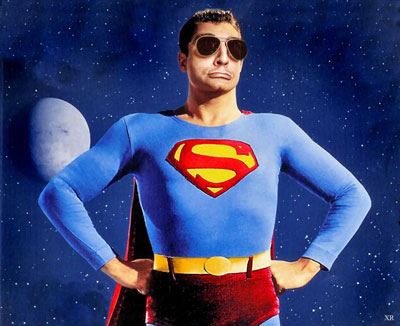
finished images

method 1
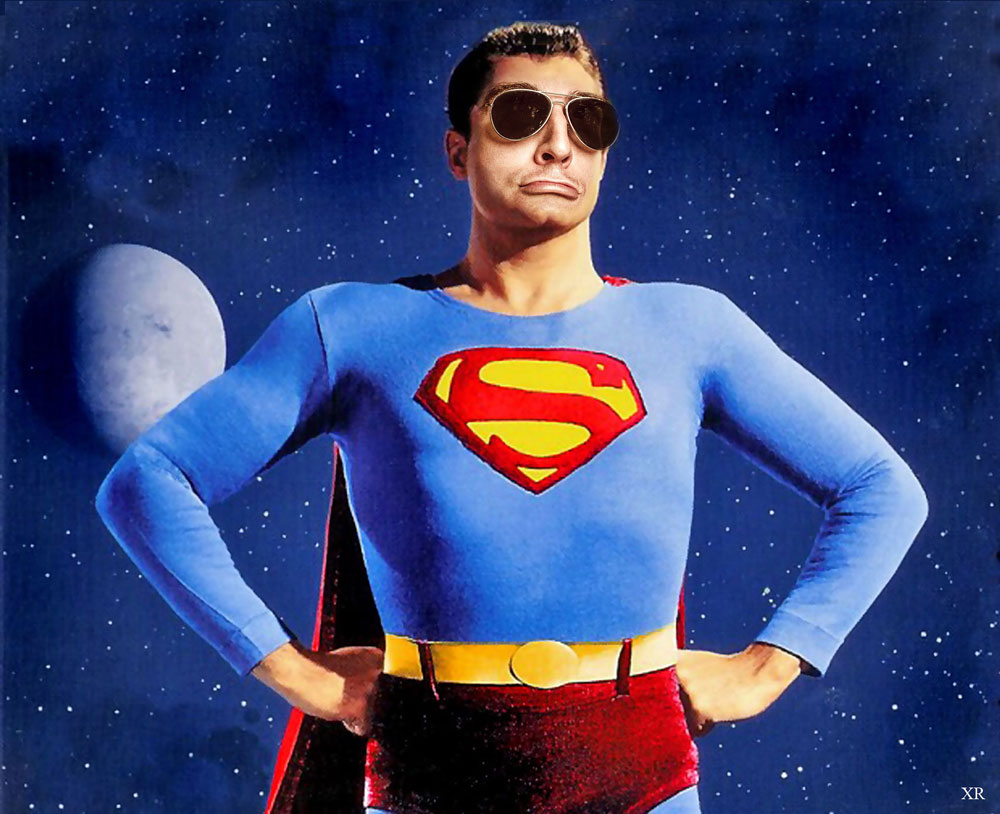
method 2
STEPS
method 1
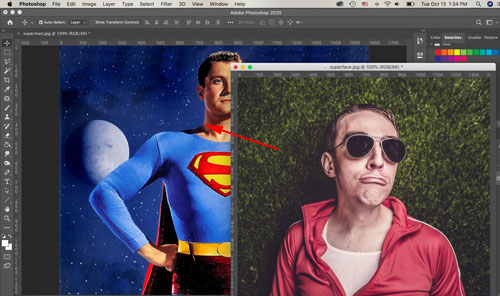
Open both images in PhotoShop.
Use Move tool to drag the face onto the superman image.
Close the face file.
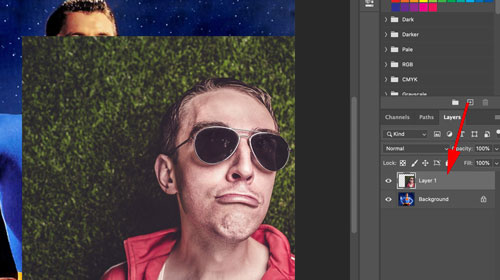
Look at the Layers palette: you have a new layer.
Celebrate!!!!!!!
For this method – make sure this layer stays selected, because this is the layer that you are going to work on.
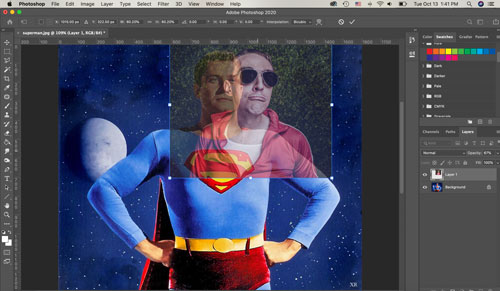
First you are going to resize the face.
Lower Layer opacity
Free Transform (Ctrl/Command T) to resize the super-face.
Hold Shift as you are resizing to constrain proportions.
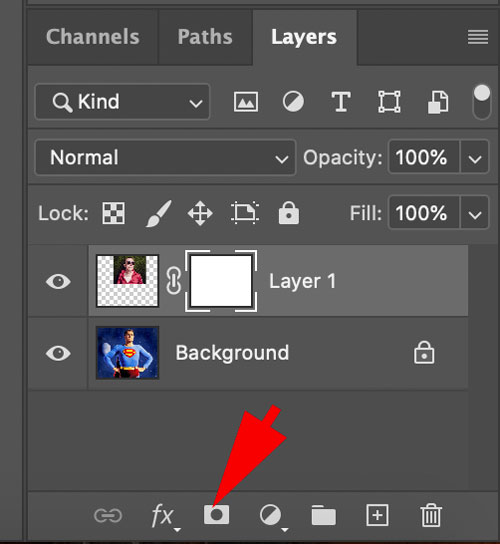
Next step is to get rid of the background that came with the face.
Add a Layer Mask to the face layer.
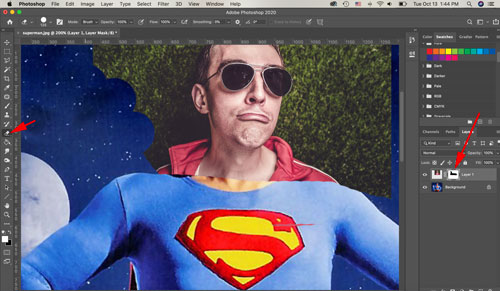
Use eraser tool to hide the unwanted areas.
Make sure you have the Layer Mask thumbnail selected.
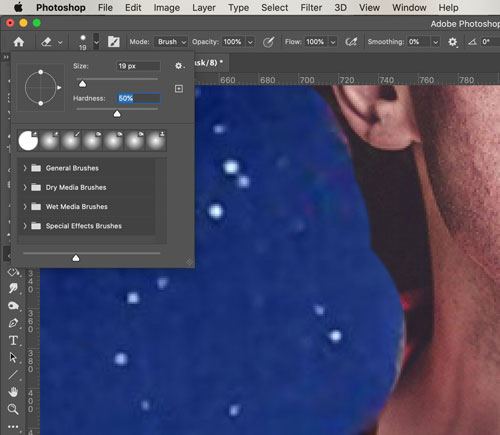
Change Eraser size and hardness as you go.
For the most part, I recommend hardness around 50%.
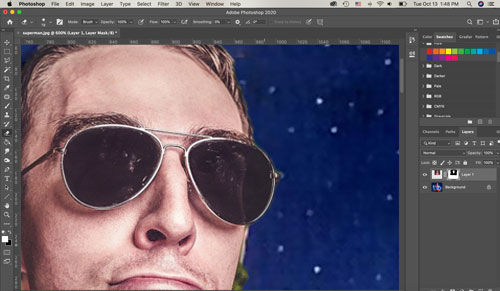
You can change the hardness as you go around well-defined objects like glasses.
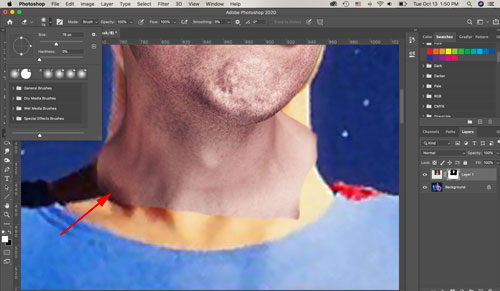
Choose larger Eraser with 0% hardness to fade the neck.
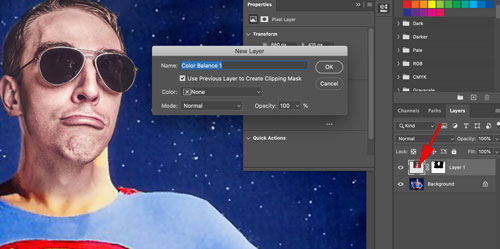
Now it’s time to fix the colors for a perfect match.
Select the image thumbnail in the Layers palette.
Add an Adjustment Layer (Layers > New Adjustment Layer > Color Balance)
Important: check the "Use Previous Layer….." option.
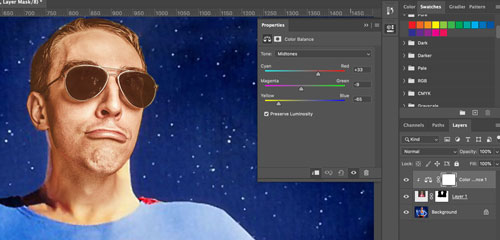
Adjust the colors to add more reds and yellows to the face.
Use your judgment!
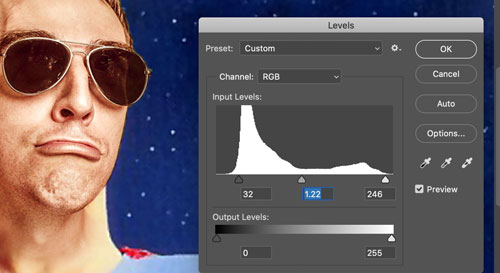
Select the face layer again (not the adjustment layer!!!).
Increase contrast:
Image > Adjustments > Levels.
Match the contrast and the tones to the rest of the image. Use hands for color and tone reference.
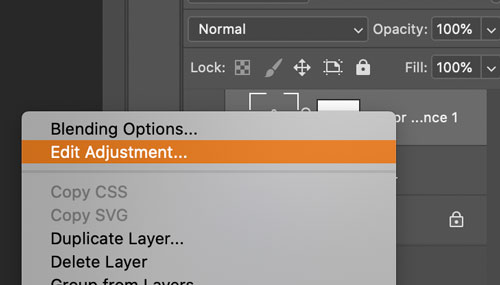
If you need to adjust the colors after you have fixed the Levels – right-click on the Color Balance adjustment layer and choose "Edit Adjustment".
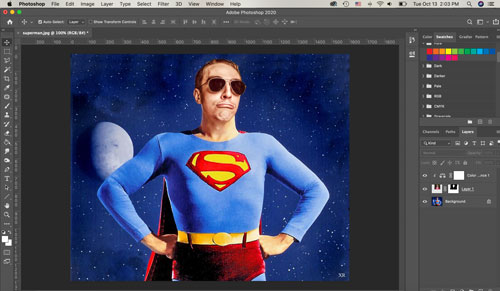 Double-check that everything looks great.
Save the image as a JPEG or PNG and submit!
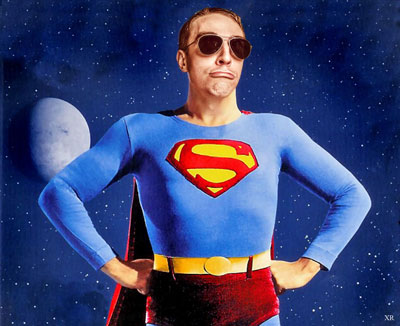
method 2
Again, drag the super-face over the superman image.
Then we are going to position the face layer behind the superman layer.
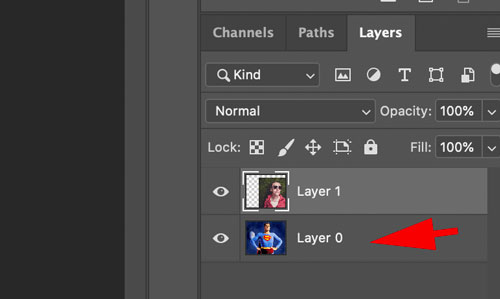
Unlock the background layer by double-clicking on it.
Rename it and click OK.
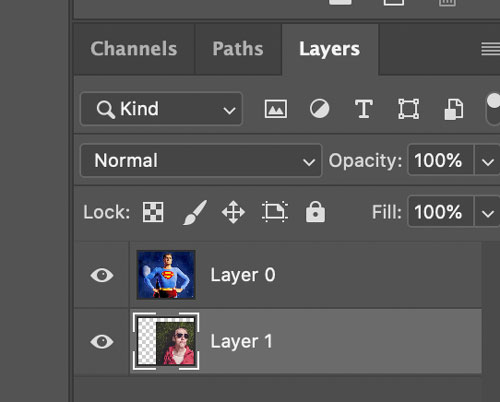
Now you can drag the face under the superman layer.
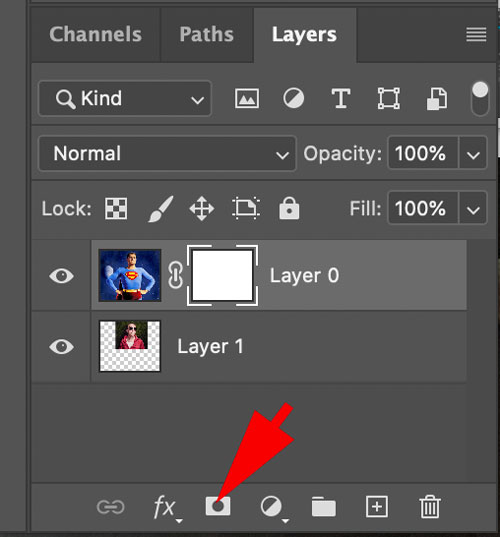
Back to Superman layer!
We are going to hide his original face.
Add a Layer mask.
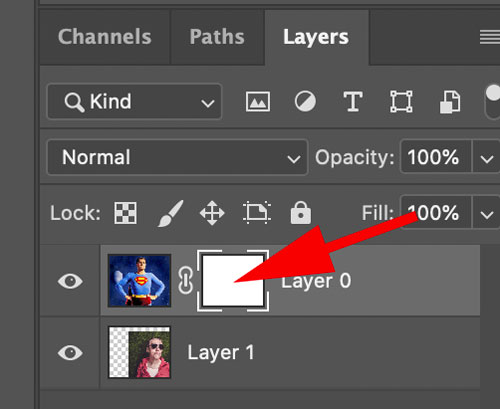
Make sure the mask thumbnail is selected.
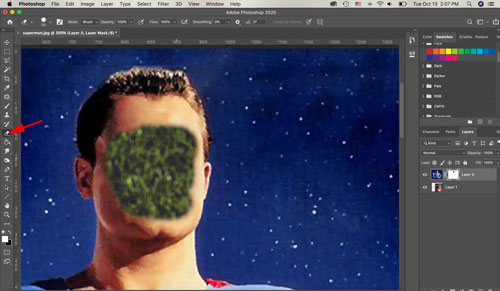
Use Eraser tool with soft edges.
Carefully remove the facial features.
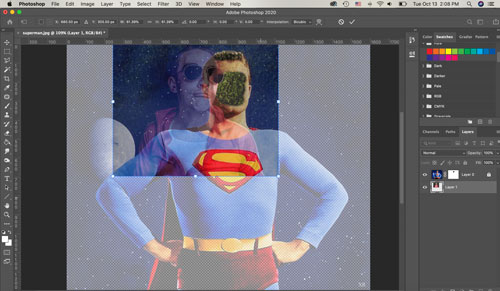
Make the superman layer transparent.
Then select the face and resize it (hold Shift).
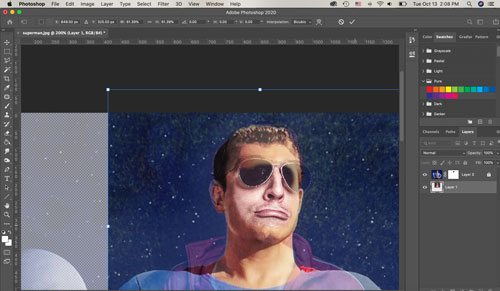
Position the face for a perfect fit.
You can resize it again if needed.
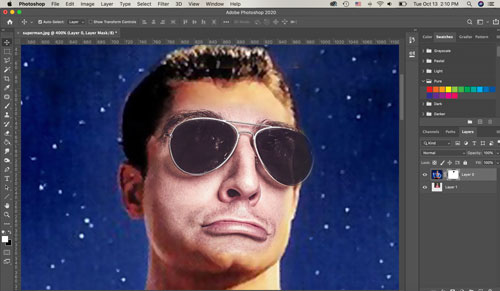
Restore the original layer opacity.
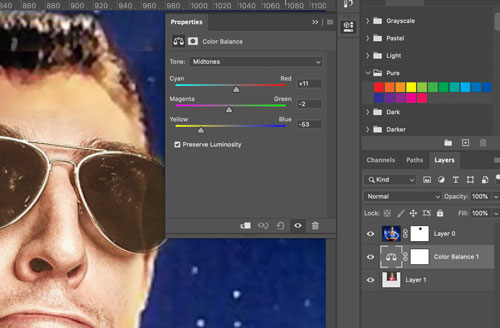
Add an Adjustment layer to fix the Color Balance.
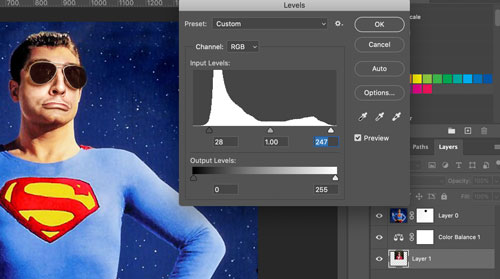
Adjust Levels for a better contrast.
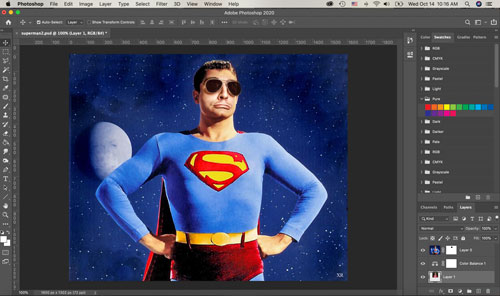
And it’s done again!!!
Check for details and areas to improve.
Save it as JPEG or PNG and submit!
We are done!!!!